
The participants in our photo courses often ask whether they should take their pictures in RAW format. Unfortunately, the question cannot be answered with a simple “yes” or “no”. The answer very much depends on your personal preferences and requirements. In this blog post we’ll disuss the differences between RAW and JPG and the question who should use which file format and when.
The technical differences
Colour depth
The most important difference between RAW and JPG is the so-called color depth. The color depth determines the number of brightness gradations per primary color (red, green, blue) that can be recorded. RAW data from current cameras have a color depth of 14 bits per color. This corresponds to 16,384 brightness levels. JPG files are by default limited to a colour depth of 8 bits. This corresponds to just 256 brightness levels. In this discipline, the RAW file clearly scores best.
Compression and memory requirements
Both JPG and RAW files are compressed so that they take up as little space as possible on the memory card (this is also the main reason why digital cameras use JPG files instead of, for example, uncompressed TIF files). However, the JPG compression is not lossless. Therefore, so-called JPG artifacts can occur when using strong compression (clearly visible in the picture below):
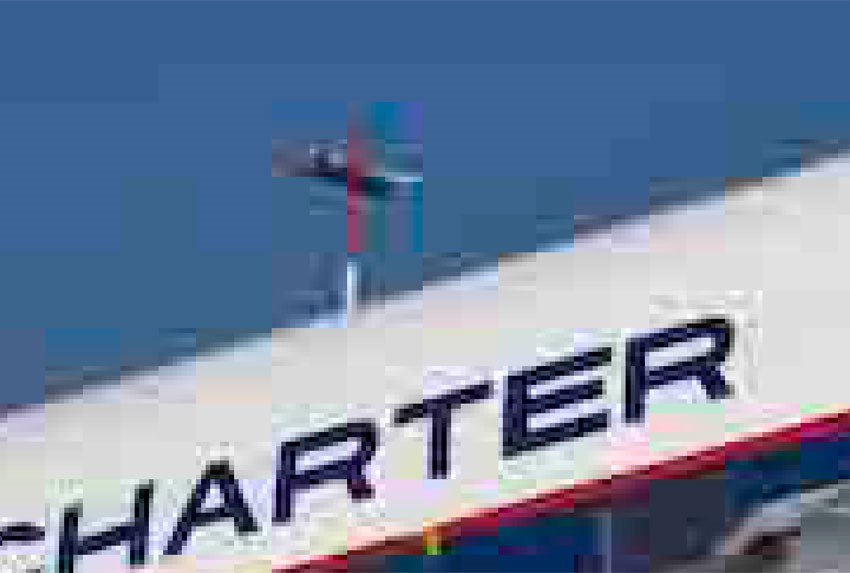
This image is an extreme example of JPG artifacts. At normal compression settings in the camera, these artifacts are practically invisible. However, if a file is saved multiple times, they do become visible in the end.
RAW files are also compressed, but teh compression is usually lossless (there is also lossy RAW compression, but in my opinion this is not very useful). However, despite the compression, RAW files are still much larger than the corresponding JPG files.
So there is no clear winner in this category. For me personally, the lossless compression is more important than the small file size of the JPGs. Thanks to large memory cards, the file size is no longer a really important criterion, at least for me.
Editing in the camera
JPG files are always “edited” by the camera firmware. Thus the white balance is always included in the file. Also contrast, color saturation, sharpening and other parameters are more or less strongly affected depending on the selected image style. These settings can sometimes only be undone to a limited extent in image post-processing on the computer. If the white balance is set completely incorrectly, resulting in a strong color cast, it may not be possible to get rid of it completely. This also applies to JPG artifacts caused by strong compression.
RAW files, on the other hand, are not affected by camera settings and image styles (Important: Exposure parameters such as shutter speed, aperture, and ISO number naturally affect the file, but not image styles, sharpening, contrast, white balance, or color saturation settings). Thus, the RAW-file can be edited at will.
Winner in this category: For my personal taste RAW. But if you are satisfied with the results of the image styles of their camera your mileage can vary.
Use of the files
JPG files are finished images. They have already been edited in the camera and can be used immediately for photo books, the Internet or presentation on the TV.
RAW files on the other hand must be “interpreted” by the photographer before use and then converted into a file format (usually JPG or TIF) that allows further use. The RAW data itself cannot be used for photo book printing or any other use.
Those who want to edit their photos themselves can open, modify and save JPG files with any image editing program. But for RAW data, you need a so-called RAW converter that can open the RAW files of your camera. As the RAW formats differ from camera brand to camera brand and within a brand also from camera model to camera model, they are everything but universal. Those who use an older RAW converter might not be able to open and edit the files from a new camera (at the end of this blog I will describe a way out of this dilemma).
In this category, the universal JPG format clearly scores.
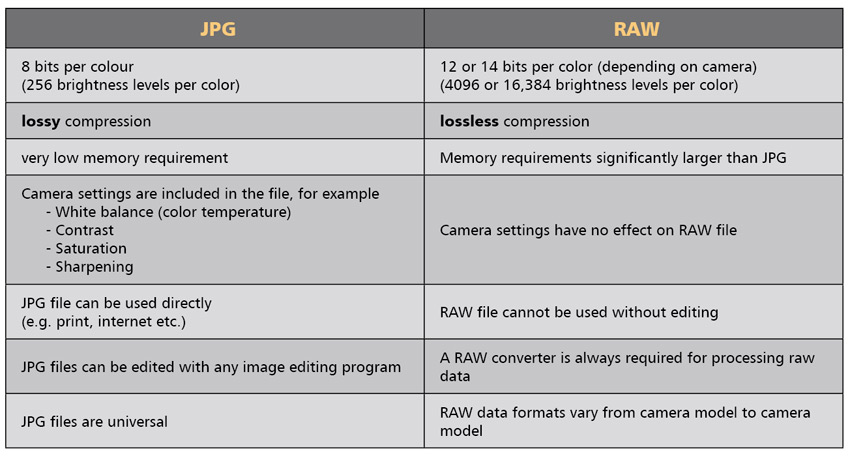
In the table below, the differences between JPG and RAW are summarized.
Who should use JPGs?
Since JPGs come out of the camera ready to use, they are the suitable format for all those who do not want to edit their pictures at all or only very little ( cropping, removing sensor spots, etc.) However, the prerequisite is that you like the results of the image styles.
Also those who need the data very quickly are of course better off with JPGs. The sports photographers at the edge of the field, who send their pictures to the editorial offices of the newspapers while the event is still in progress, naturally do not have the time to edit the pictures extensively.
Also those who don’t want to worry about colour management are better off with the JPG format. Especially if you have set the sRGB color space in the camera, you don’t need to worry about this topic anymore.
Who should use RAWs?
Due to the high colour depth and the lossless compression, RAWs make full use of the possibilities of digital photography. Thus, those who want to get the best possible quality out of their images will hardly be able to avoid RAWs. But in this case, the condition is that you do not shy away from editing, as each RAW-image has to be processed and converted to a generic file format before it can be used for the printing or other purposes.
Specially in case of extensive editing, RAW-files play their advantages. This is specially valid for the black and white conversion. As here, the relations of the three basic colours are under certain circumstances very strongly shifted against each other, the 8 Bit JPG-files very fast reach their limits. The enlarged sections of a black and white image converted from a 14 bit RAW file and the corresponding section from an 8 bit JPG conversion show the problem.
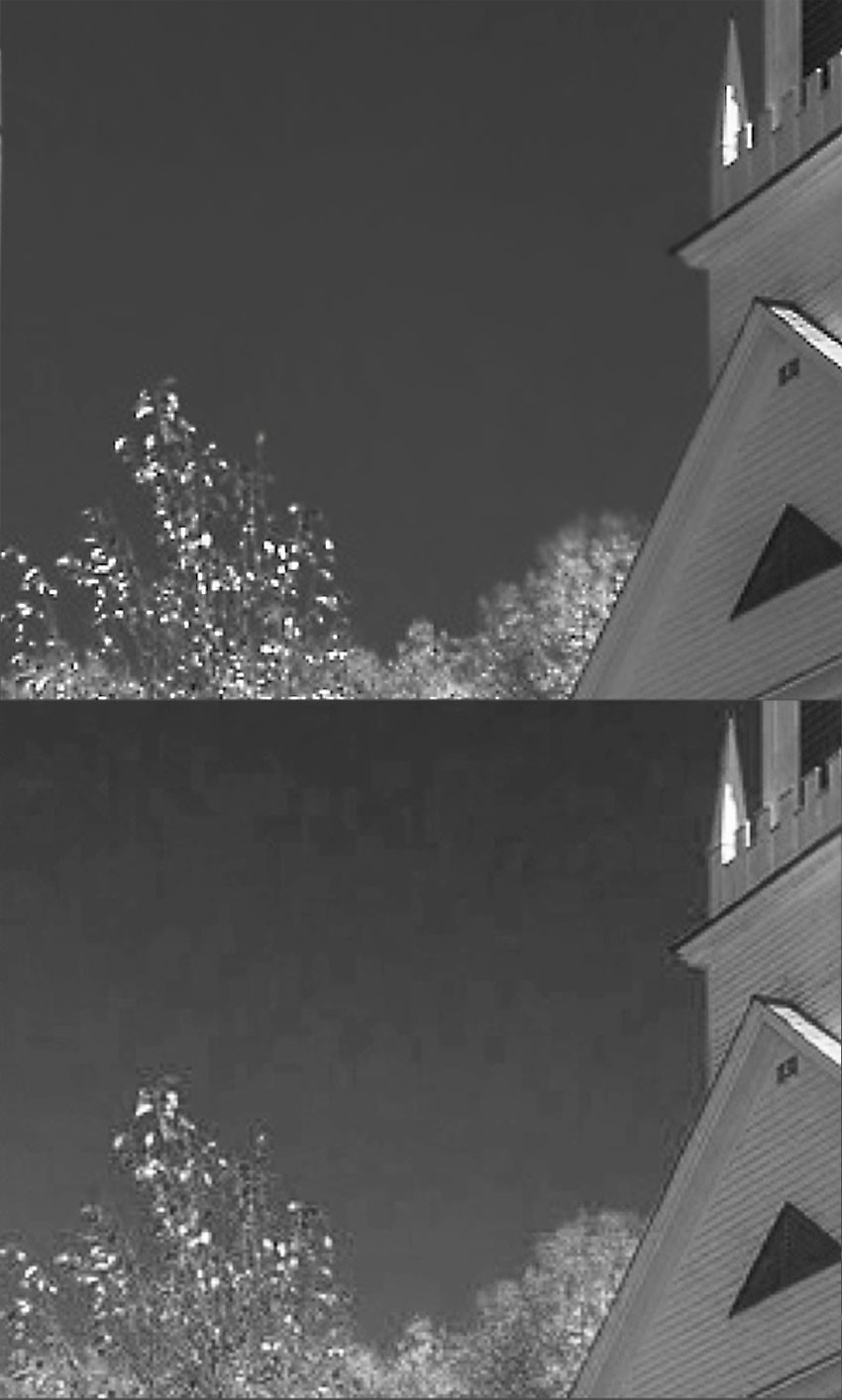
The block formation in the sky and the artifacts at the edges are so strong here that they are clearly visible in print. In such cases, RAW files clearly have the edge.
So does it make sense to use RAWs?
In principle yes, but …
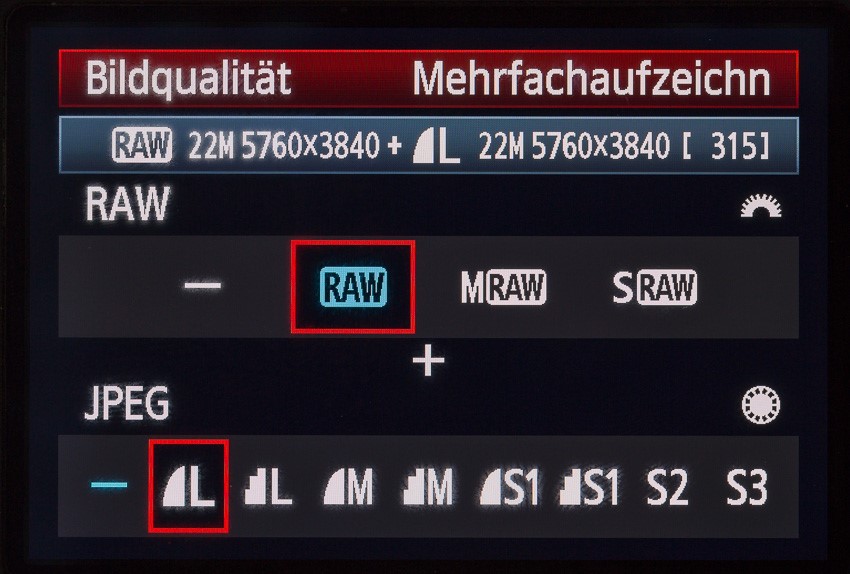
it’s a lot of work and not for everyone. The decision has to be made by each individual. If you are not sure, but want to keep all possibilities open, you can always set the camera to record RAW and JPG at the same time. Thus, one has the best of both worlds: JPGs for the immediate use, RAWs for the special pictures.
The solution to the RAW dilemma
For all those who have bought a brand new camera but still use an old raw data converter and do not want to invest in new software, the so-called DNG format (DNG stands for Digital NeGativ) is a good choice. It is a camera independent RAW data format by Adobe that even old RAW converters can read and work with without any problems. With the free DNG-converter that provides updates for the newest camera models in regular intervals, you can comfortably convert the RAW-files of your camera into the DNG-format. Here is the link to the download:
Alternatively, you could consider a system change to Leica or Hasselblad. These brands use the DNG format for their cameras in general …

Leave A Comment