
Modern cameras all have a built-in exposure meter. No guessing of the correct exposure or use of rules of thumb like the “Sunny 16 rule” is required any more. But most cameras these days offer different metering modes. So let’s have a look at these modes and see what they do.
The problem all metering modes have in common
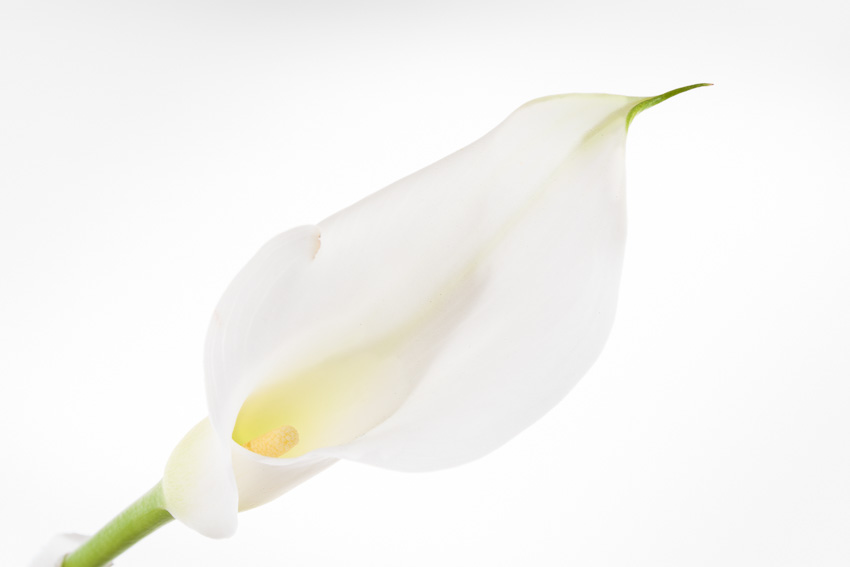
The built-in exposure meter (somtimes called a light meter) of any camera measures the light that is reflected off the scene, no matter which metering mode is used. Therefore the meter reading depends on the brightness of the illumination AND on the subject itself. If the scene is evenly lit and if it consists of good mixture of dark, medium and bright objects, the meter reading will be more or less accurate. If the subject however is either very dark (let’s say a black dog) or very bright (a snow covered landscape for example) the exposure metering will be way off. The image of a white calla in front of a white backgroung shows what happens in such a case:
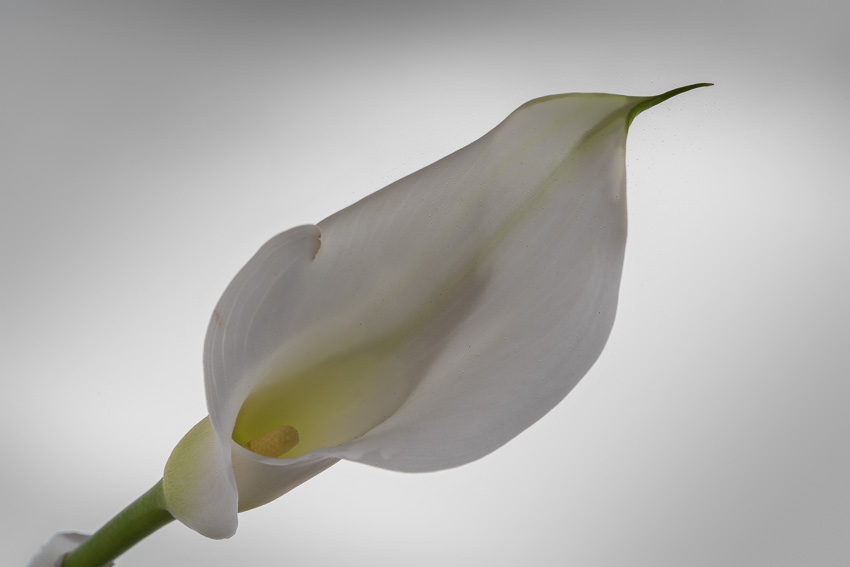
Because white objects reflect a lot of light, the light meter “believes” that the subject is very brightly lit. Consequently the exposure is to dark. Compare this image to the featured image at the top of this post. If the subject is very dark then of course just the opposite happens, i.e. the image would be too bright or perhaps even overexposed.
Note, that this happens in manual, shutter priority, aperture priority or fully automatic mode alike because the result of the light metering does not depend on the exposure mode. It does, however, depend to a certain degree on the exposure metering mode which is the subject of this blog post.
The metering modes
Most cameras have three metering modes: “Matrix” or “Evaluative”, “Center Weighted Average” and “Spot”. Some have an additional mode that is sometimes called “Partial” or “Selective”. They are all based on the principle explained above but the results of the light metering will differ more or less. Let’s look at the different modes a bit more in detail.
- Matrix or Evaluative mode
This is the default setting of most cameras. In this mode the scene is divided into a grid and the meter analyzes each segment separately:

Highlight and shadow areas of the scene can be detected and the meter can calculate an average exposure. How exactly this is done depends on the make and the model of camera. Some cameras combine the metering with the focus points of the autofocus system and emphasize those areas where the focus lies.
This mode works best when the illumination is even and the contrast of the scene is not too high. It is recommended for most subjects such as landscapes, portraits, architecture, macro and sports and action photography.
- Center Weighted Average
In this mode it is assumed, that the objects in the center of the image are more important than objects at the edges. Therefore the light meter evaluates the center of the image and neglects the edges. The following illustration shows the principle:

This mode is often recommended for backlit subjects. However, my personal experience shows no considerable advantages over the matrix or evaluative mode. I therefore don’t bother to switch between these modes and almost exclusively use matrix mode.
- Spot metering
In this mode only a small fraction, typically 3 to 5 percent, of the scene are used for the exposure metering:

This mode is often recommended for high contrast scenes. However you must keep in mind, that a correct measurement is only possible if the object that is used for the measurement is of medium brightness. A white or black object will allways result in an underexeposed or overexeposed, respectively, image. Therefore you should use spot metering only when you are very familiar with light metering and you know the characteristics of your camera precisely. Otherwise better stick to matrix mode.
- Selectiv or partial mode
This mode is essentially the same as the spot metering mode. The difference is just a larger area of the scene that is used to determine the exposure.
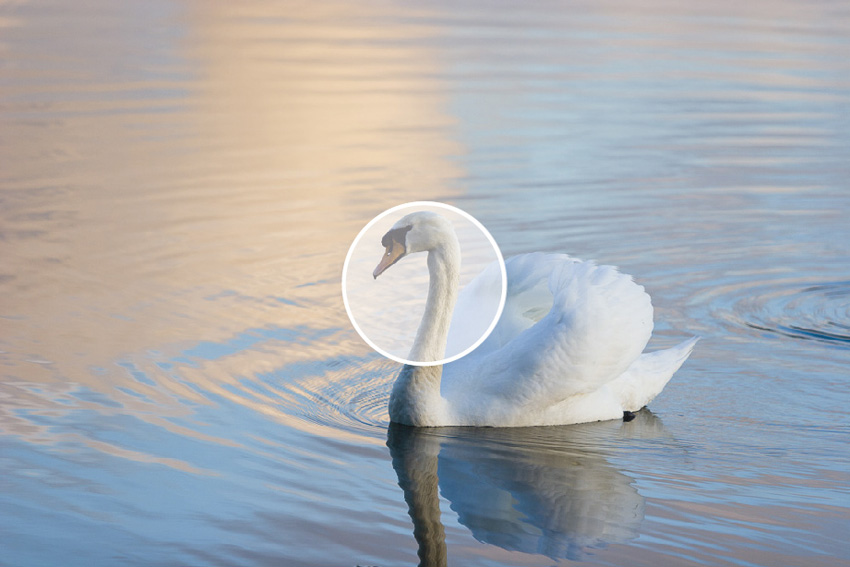
Personally I don’t think this mode is very useful. And most camera manufactures seem to think so too and just don’t offer it in their cameras.
How to identify the different metering modes of your camera
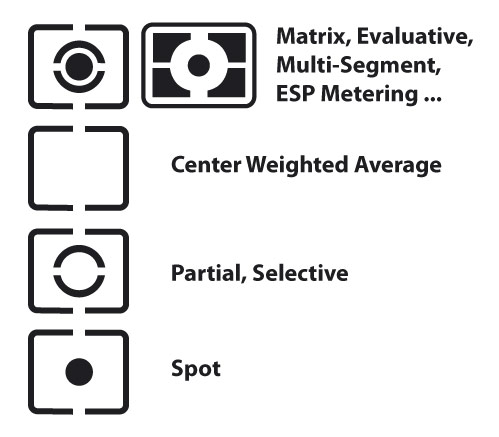
Just look for the following symbols to identfy the different metering modes of your camera. It may be that you have to browse the menus of your camera to switch between the modes. Most cameras however let you select the metering mode via a switch or dial.

Leave A Comment